Accessing my Responsible Person Certificate
Overview
In this guide, we will explain how you can access your Responsible Person (RP) certificate, via your Expandly account, once the service has been approved by our Compliance Team.
When will I be able to access the certificate?
Once your products have been uploaded to your RP service, and you have provided all required mandatory documents, this will be pass on to our Compliance Team to carry out a thorough check of the documentation received, to ensure compliance.
Once satisfied that all documentation provided is compliant, our Compliance Team will approve your company to use our RP address across your products & listings. It will be then, that your RP Certificate will be available to view, via your Expandly Portal.
Accessing your RP Certificate
1. Log into your Expandly Portal
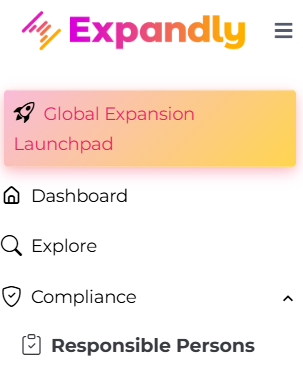
2. Click Compliance>Responsible Persons on the left menu:
3. On your Responsible Persons page, you can view all your Active RP products and the current status:
Awaiting Documents - we need the documents to be uploaded in order to review and approve your RP service
Awaiting Documents - we need the documents to be uploaded in order to review and approve your RP service
Under Review - the product is with our Compliance Team for their review
Revision Needed - our Compliance Team have reviewed the product and revision is needed - you can view comments from the Team by clicking the  icon
icon
Approved - the product has been reviewed and is compliant. You are approved to use our RP address(es) across your product(s) & listing(s)
4. To access your RP certificate, click 
Your certificate will show you:
- The list of products approved
- Our RP address - this will show EU, UK or Both addresses, depending ono the service purchased
- Date of Service Start and End
Need more help?
If you need more help, no problem - Contact Us and we'll be happy to help.